Drive
Find application documents, email PDFs, and Yenny reports. Copy them to Google Drive if you want.
Drive keeps your documents and application history together.
| Folder | Contents |
|---|---|
| Originals | Uploaded source documents. Pinned at the top. |
| Master CV | Your saved CV, when available. Olaf uses it to prepare application documents. |
| Yenny reports | Saved reports. Also pinned at the top. |
| Application folders | Documents and linked email PDFs for each tracked job. |
Search for a folder or file name. Use tiles or list view. You can download one file or a complete folder.
Read application emails
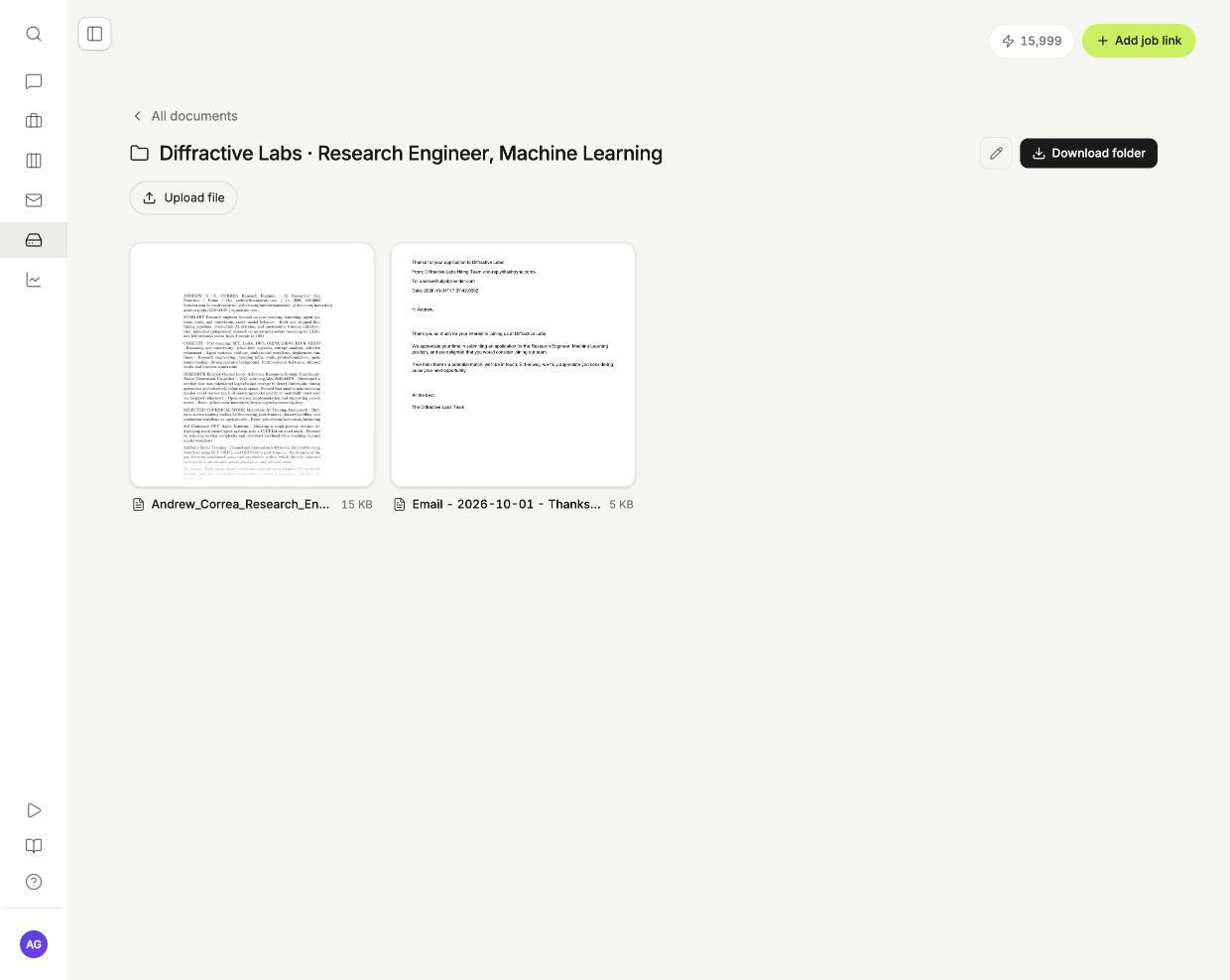
MYO saves each linked email as a PDF in its application folder. The PDF includes the subject, sender, recipients, original date, and message. Follow-ups go into the same folder.
- Open the application folder.
- Select the email PDF.
- Read the preview, or select Open file to open the saved file.
Emails in Other recruitment have no application folder until you link them. If a folder has no email PDFs, check Mail for missing or unlinked messages. A missing receipt does not mean the employer rejected your application.
Add documents submitted elsewhere
An imported application does not include the CV or cover letter you submitted.
- Open the application from Tracker.
- Select Documents.
- Upload your submitted files.
MYO stores these files in the application folder. It does not download every attachment from your mailbox.
Save Yenny reports
Open Analytics to create a report or enable weekly reports. MYO saves each report as a PDF in Yenny reports. You can read saved reports without a Google Drive connection.
Connect Google Drive
Google sign-in and Gmail use separate connections. During the Google OAuth test phase, Google only permits connections from its configured test accounts.
- Open Drive.
- Select Google Drive.
- Select Connect Google Drive.
- Choose your Google account and approve access to files created by MYO.
MYO creates a MYO folder in your Google Drive. It copies saved documents, linked email PDFs, and Yenny reports into the same folder structure.
| Control | Effect |
|---|---|
| Sync automatically | Pause or resume automatic copies. |
| Sync now | Copy saved changes and retry failed files. |
| Disconnect | Stop future sync. Keep the copies already in Google Drive. |
The connection panel shows the last sync and any errors. Sync uses no AI credits.
Changes go from MYO to Google Drive. Edits to a Google Drive copy do not change MYO. When you rename or move a folder in MYO, its Google Drive folder updates. When you delete a saved file in MYO, its Google Drive copy moves to the bin.
MYO requests access only to the Google Drive files and folders it creates.