
Analytics
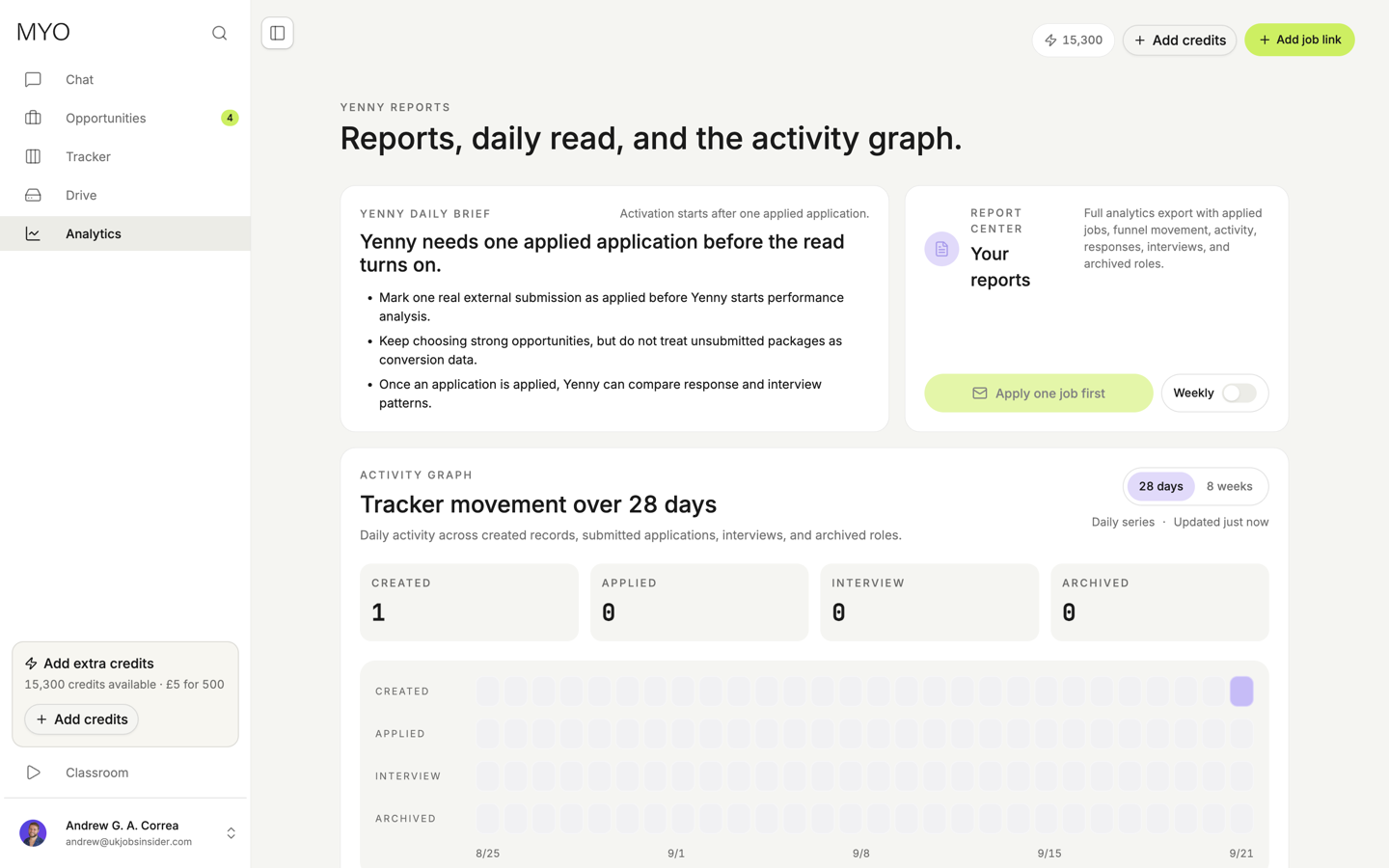
Yenny's reports use tracker activity and dated, linked recruiter correspondence.
Yenny uses your tracker and linked emails to explain progress. MYO applications and imported external applications can both contribute. Use the application-source filter to choose what to include.
The daily brief starts after one application reaches Applied. A document download updates this status. It does not confirm employer receipt.
What reports distinguish
- Applications marked Applied, and submissions confirmed by email or by you.
- Receipt acknowledgements, separate from recruiter responses.
- Your follow-ups, response times, assessments, interviews, offers, and rejections.
- Latest contact, archived applications, and suggested next actions.
A receipt saying “we received your application” is not counted as an interview or a personal recruiter response. Historical emails keep their original dates. Totals come from application records and events. Yenny explains them with dated evidence from linked messages.
Coverage matters
Reports show mailbox coverage and incomplete or paused analysis. No observed reply means MYO has not seen one in its available data. It does not prove the employer has never replied. Check the connected mailbox, dates, and unmatched conversations in Mail when something appears missing.
Correct the application or email link when evidence is wrong. A recruiter statement does not become a verified fact about your career.
Save reports
Generate a report from the report centre or enable weekly reports. Saved PDFs appear in Drive → Yenny reports. Connecting Google Drive sync copies them to the same folder in your Google Drive.
Reports from the report centre and scheduled weekly reports use no credits. Reading saved reports and syncing their files also use no credits. Mail analysis and conversations with Yenny have separate credit prices.
Ask Yenny in Chat to explain a number or inspect an application's timeline and linked messages.